TECHNICAL DOCUMENTATION
& CATALOGUES
DOWNLOAD TECHNICAL DOCUMENTATION DIRECTLY
Find your product and download what you need.
Go to Product FinderOr
FOLLOW THE GUIDE TO DOWNLOAD TECHNICAL DOCUMENTATION
To access technical documentation, you must have the product code for your specific model.
Each model may have multiple product codes, depending on finishes, dimensions or specific features.
This step-by-step guide will help you avoid mistakes.
Before downloading any files, make sure you are using the correct product code. It can be found in the order confirmation you received when purchasing the product.
PHASE 1: Search for the product using its code
Step 1: Go to Flos professional. Click the search icon in the top right corner or select Product Search on the homepage.

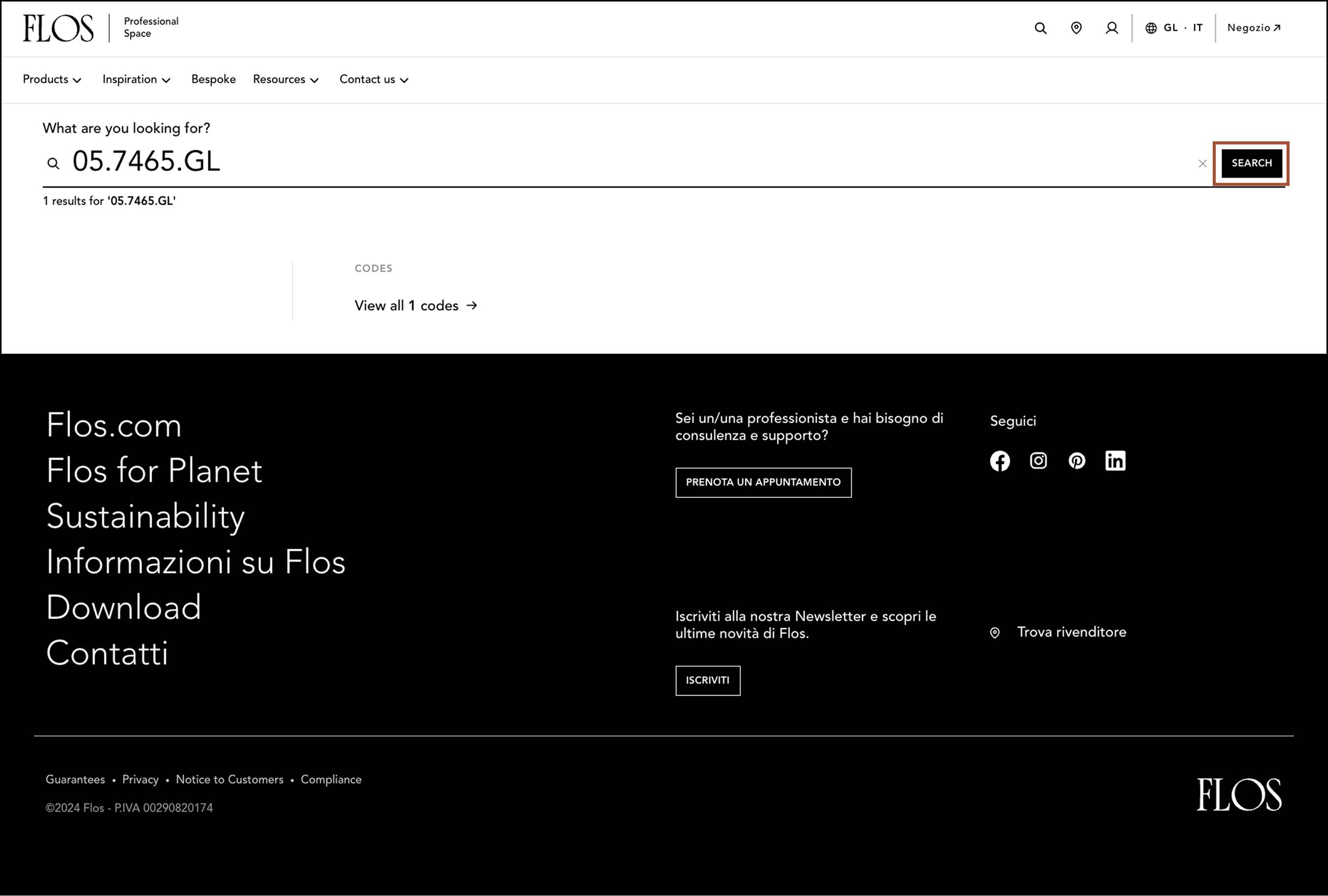
Step 2: Enter the product code in the search field, including all letters, numbers and punctuation, then click SEARCH.
NOTE: If you don’t have the product code, search by product name and navigate to the correct model. Check finishes, dimensions and features to confirm you have the right model.
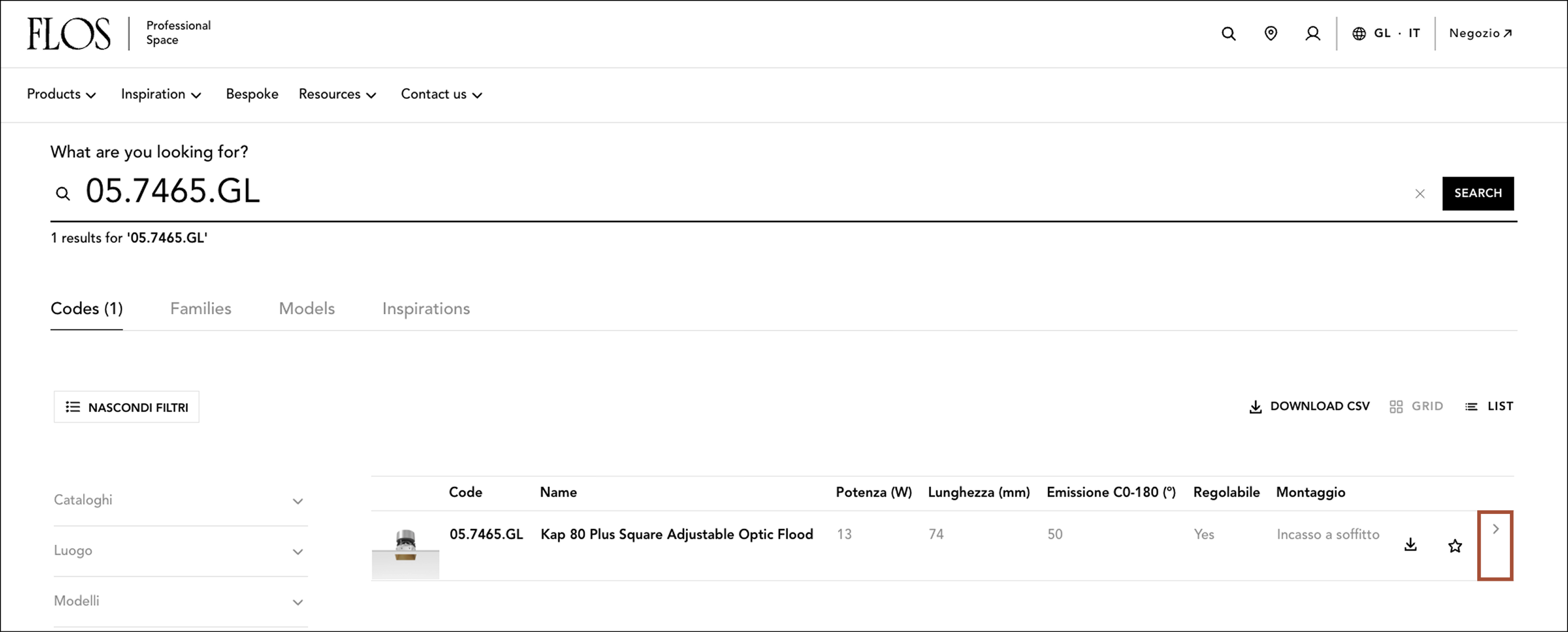
Step 3: When the results appear, click the arrow to the right of the relevant product to open the product page.
PHASE 2: Discover where to find the code and documentation on the product page
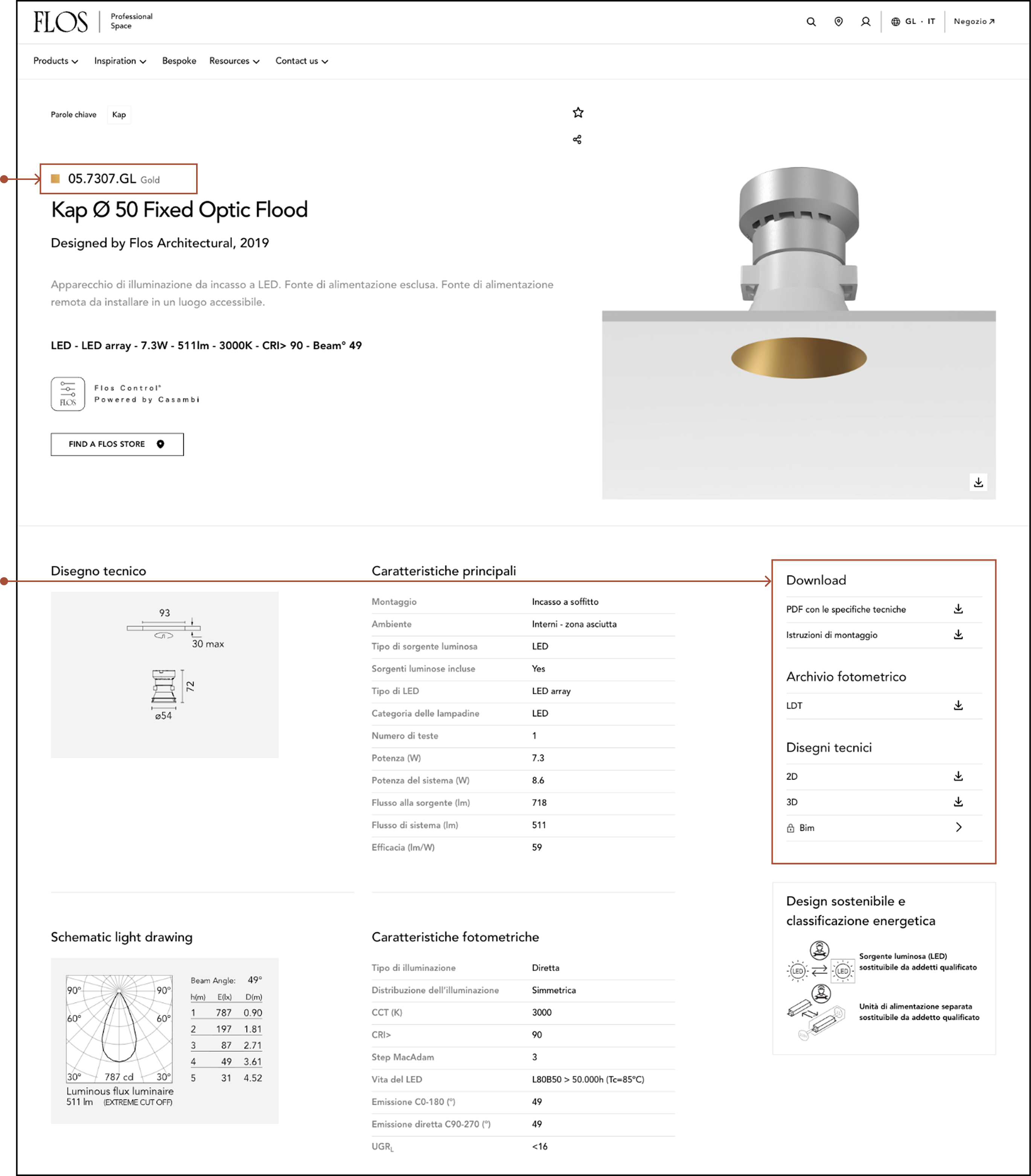
Step 4: Locate the product code displayed at the top of each product page and verify it maches your item.
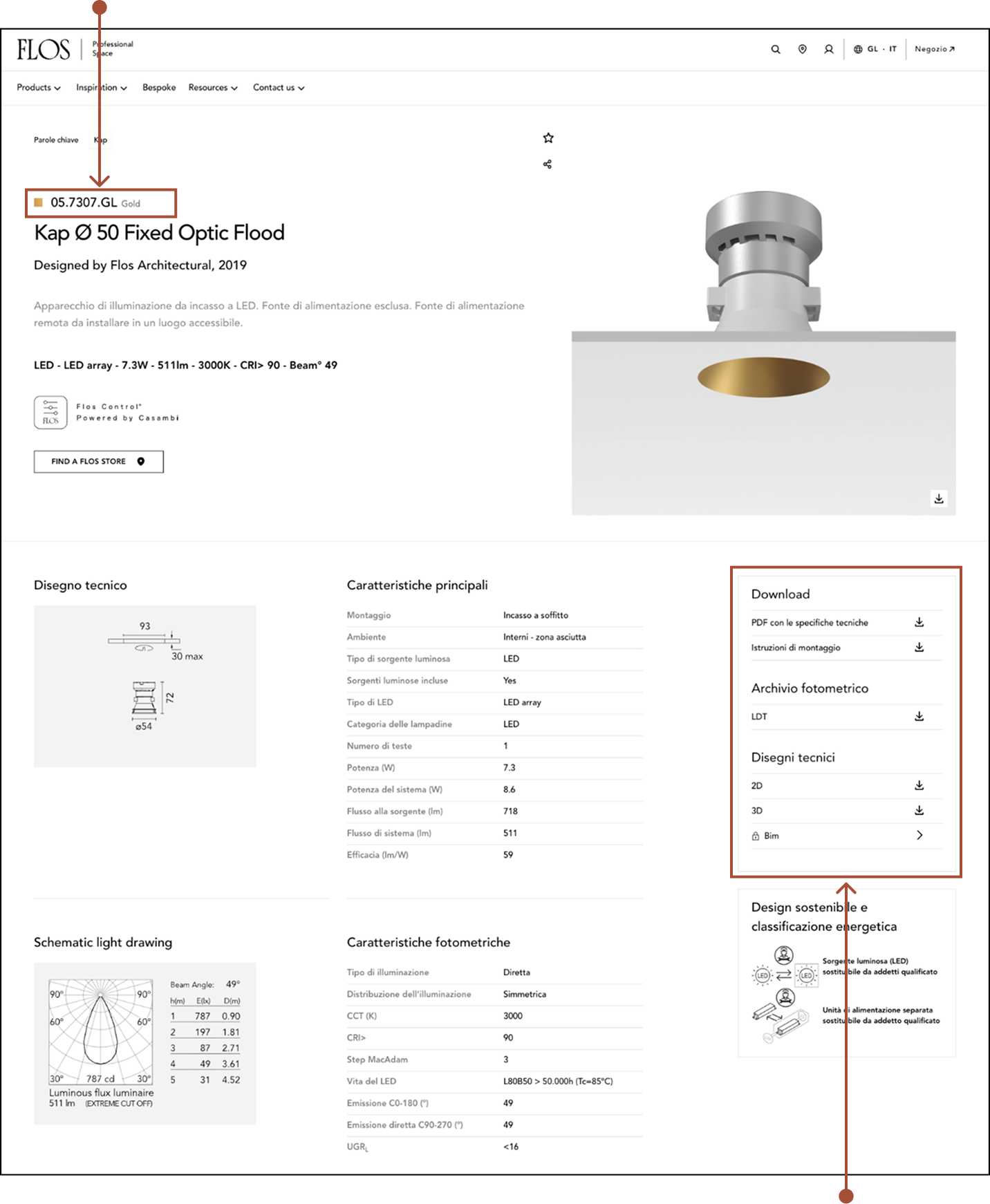
Step 5: Download technical documentation from the DOWNLOAD section on the right-hand side of the page.